
pZipper LogopZipper
pZipper LogopZipper

Introduction

Overview

Account Creation

New Account

Contract Creation

New Contract
Starter Contract

Contract Sharing

Share Contract
Sharing Options
Contract LinkDirect Email Message

Contract Negotiations

Negotiating Contract
Negotiation Statuses

Contract Deployment

Deploy Contract

Contract Management

Manage ContractLayoutStages and Available actionsHistorical Activities

FAQ

Crypto Basics
Deposit Process
Withdrawal Process
Platform Security
Account Setup
Contract Creation
Contract Sharing
Contract Negotiations
Contract Deployment
Contract Management
Dispute Management
Miscellaneous

Sharing Options

Overview
share-screen

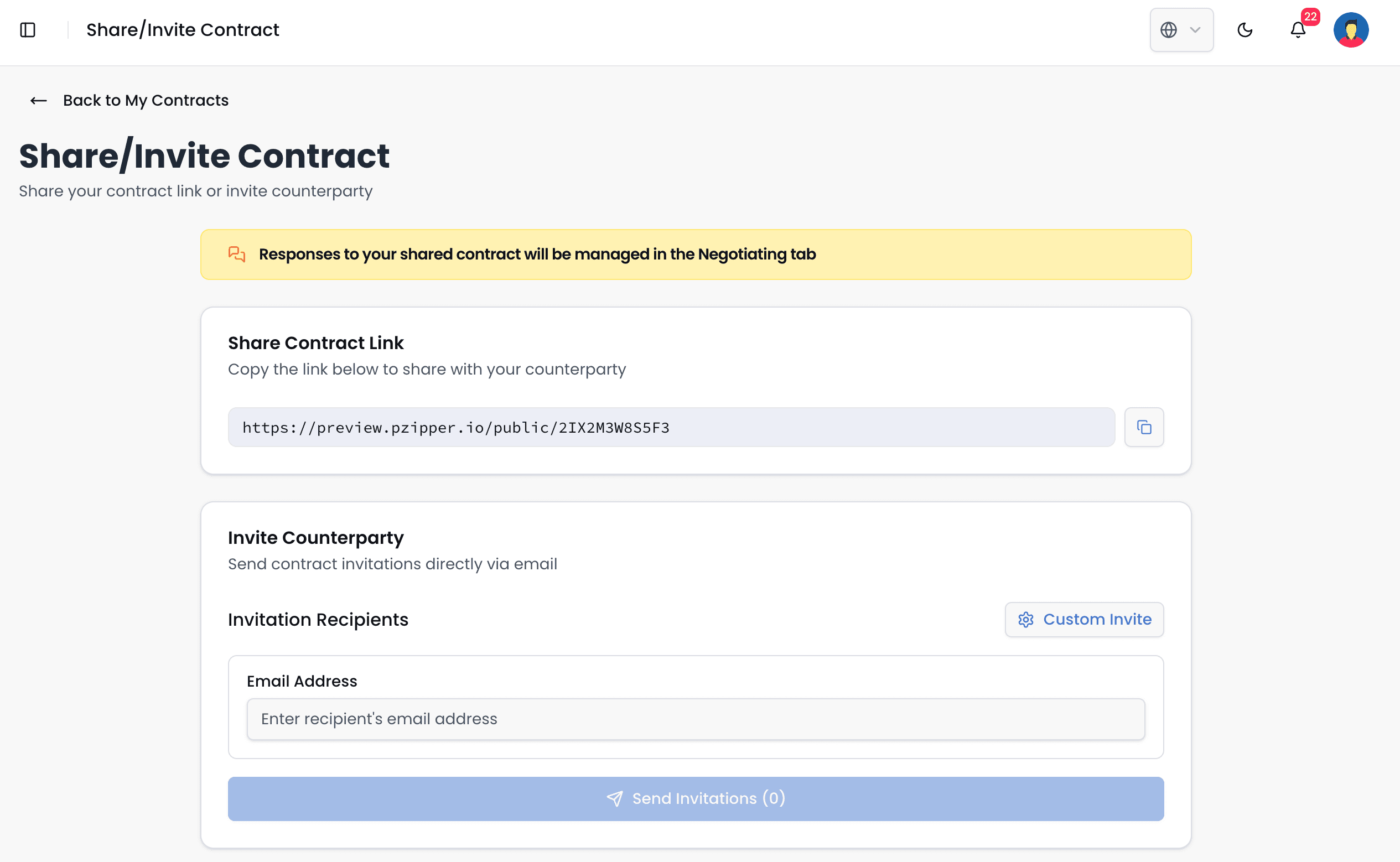
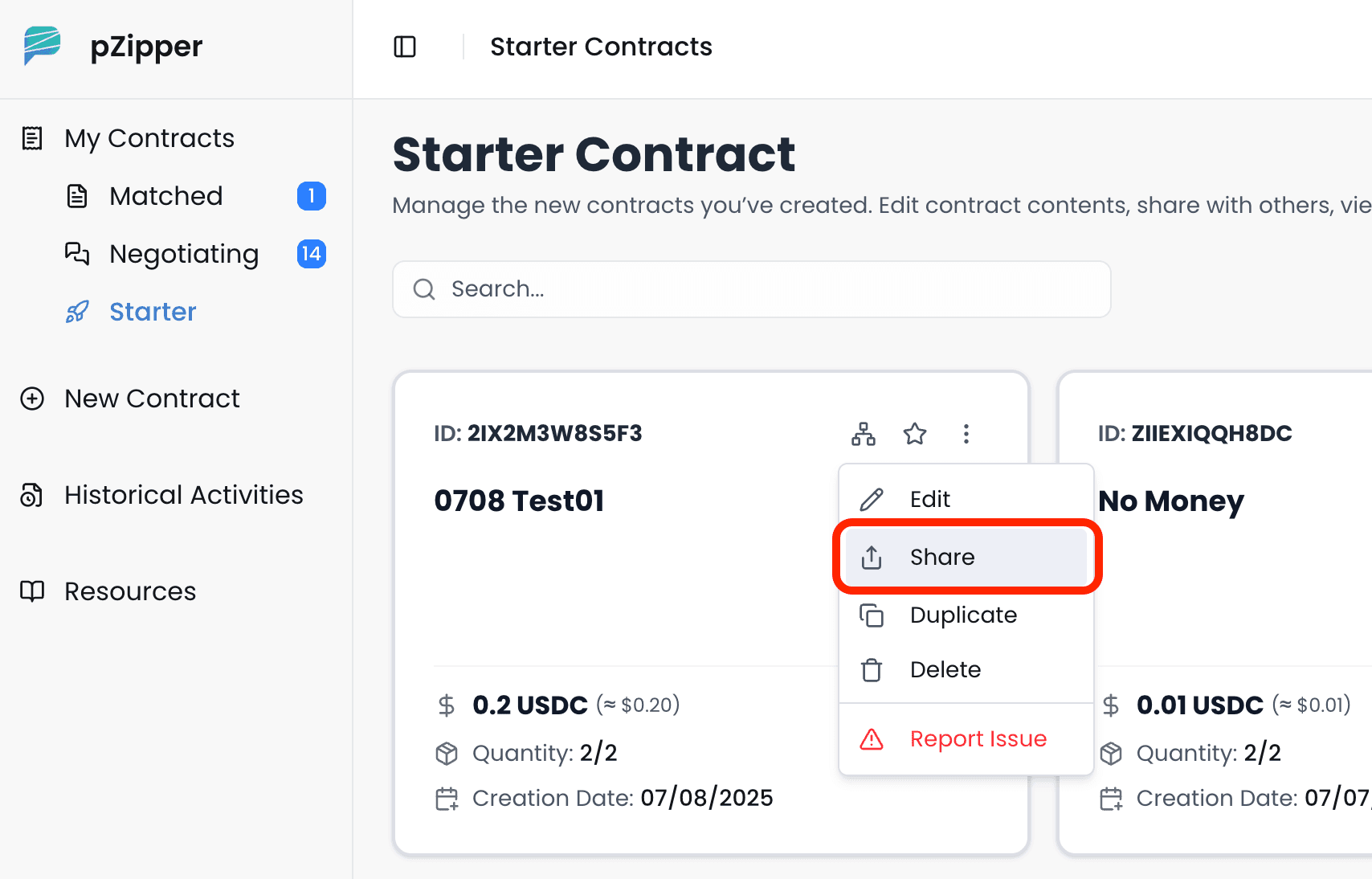
There are two main ways to navigate to the Contract Sharing interface. The first, and likely the most direct, is through the New Contract tab. After a user creates a new contract, they are automatically taken to the contract sharing screen, where they can choose their preferred method of sharing—via URL link, direct email, or both. The second method is through the "Starter" section under the My Contracts tab (see screenshot below). In this view, users can locate the contract they wish to share and click the three-dot icon in the top-right corner of the contract card. By selecting Share from the dropdown menu, they are directed to the same contract sharing interface, where they can then choose to share the contract using a direct URL or by sending emails to specific recipients.
share-tab

Share via Contract Link

Share your contract through a secure link with configurable visibility and access.

Share via Direct Email Message

Send invitations directly to specific recipients via email with tracked delivery.

Share Contract

Previous Page

Contract Link

Next Page

On this page

Overview