
pZipper LogopZipper
pZipper LogopZipper

Introduction

Overview

Account Creation

New Account

Contract Creation

New Contract
Starter Contract

Contract Sharing

Share Contract
Sharing Options

Contract Negotiations

Negotiating Contract
Negotiation Statuses

Contract Deployment

Deploy Contract

Contract Management

Manage ContractLayoutStages and Available actionsHistorical Activities

FAQ

Crypto Basics
Deposit Process
Withdrawal Process
Platform Security
Account Setup
Contract Creation
Contract Sharing
Contract Negotiations
Is there a limit to how many times I can negotiate a contractIs there a time limit within which I need to respond to an incoming negotiation requestCan I negotiate a pZipper contract without a pZipper accountWhat is the difference between External Contract and My Contract in the Negotiating sectionHow long will the "Completed" or "Cancelled" contracts stay on my Negotiating dashboardHow do I know if my negotiated contract has been accepted by the other party
Contract Deployment
Contract Management
Dispute Management
Miscellaneous
Contract Negotiations

How do I know if my negotiated contract has been accepted by the other party

The contract status will change to "Completed." When you open it, you'll see a banner saying, "This negotiation has been successfully deployed as a contract," along with a link to view the deployed contract on the Matched dashboard.
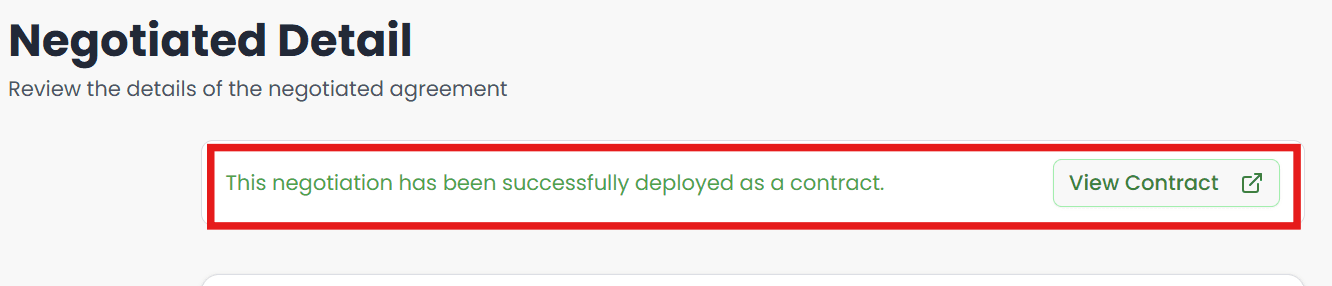
contract-negotiation

How long will the "Completed" or "Cancelled" contracts stay on my Negotiating dashboard

Previous Page

Contract Deployment

Next Page